Canonical Bug Tracking
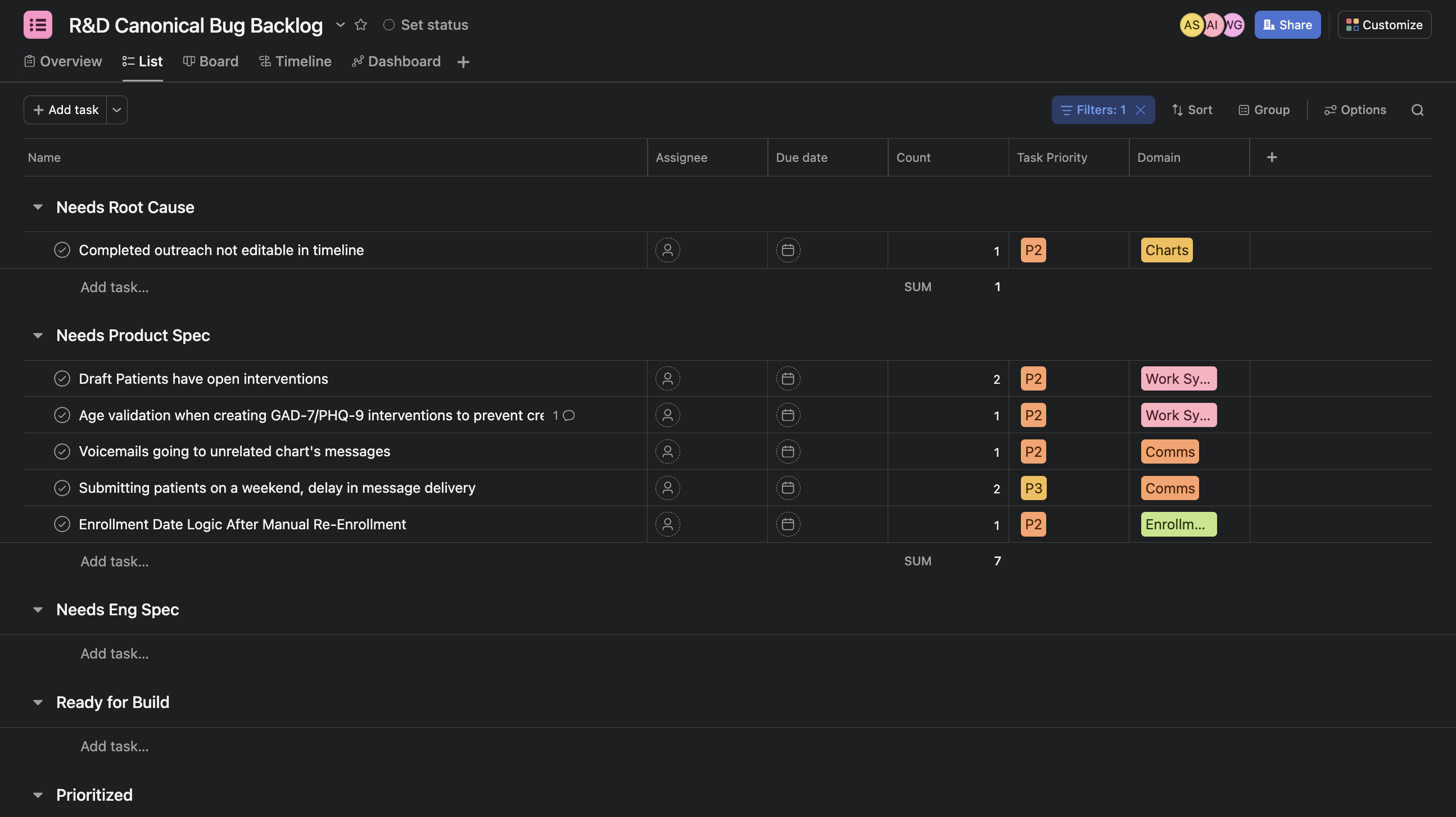
The R&D Canonical Bug Backlog provides a consolidated view of bugs identified through on-call and other channels. Use this process to track bugs that cannot be immediately resolved — whether they require root cause analysis or more extensive work to fix.
When to Create a Canonical Bug
Create a canonical bug when you identify an issue that:
- Cannot be fixed immediately
- Requires further investigation or root cause analysis
- Needs to be tracked over time to assess frequency and impact
Creating a Canonical Bug
-
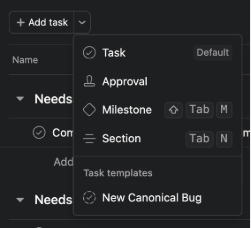
Use the Task Template: When creating a new canonical bug in the R&D Canonical Bug Backlog, use the canonical bug task template.
-
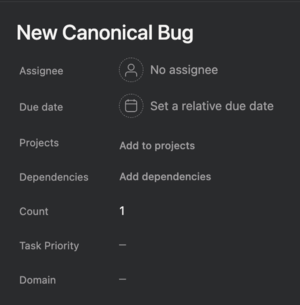
Fill in Key Fields:
- Count: Start at
1for the initial occurrence. Increment this field each time you see another instance of the same bug. - Domain: Select the appropriate domain from the dropdown.
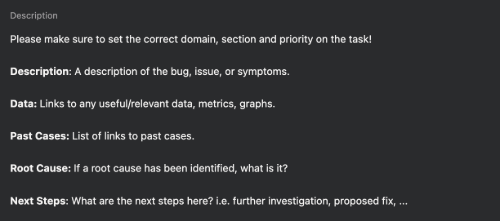
- Description: Provide a clear summary of the bug.
- Data: Include relevant logs, error messages, or metrics.
- Past Cases: Link to or reference previous support tickets related to this bug.
- Root Cause: Document any findings from investigation (this may be filled in later).
- Next Steps: What next steps are for this canonical bug (could be reproducing, root causing, actual fix implementation, etc.)
- Count: Start at
Tracking Bug Occurrences
- Check for Existing Bugs: Before creating a new canonical bug, search the backlog to see if the issue already exists.
- Increment Count: If you find a matching bug, increment the Count field rather than creating a duplicate.
- Update Details: Add new data, past cases, or insights to the existing bug as relevant.
Bug Workflow Sections
Canonical bugs should be organized into sections based on their current state:
- Needs Root Cause: The main reason for the issue is not yet known and requires engineering investigation
- Needs Product Spec: Issue has been root caused, but product input is needed to determine how to handle it
- Needs Eng Spec: For non-trivial issues where the engineering implementation needs to be discussed or specced out
- Ready for Build: All necessary inputs have been gathered, but the fix is not yet prioritized for development
- Prioritized: Actively prioritized to fix in a current or upcoming sprint
- Icebox: No longer a tracked bug
Best Practices
- Track Issues as You Encounter Them: Create or update canonical bugs when you identify issues. Don't wait.
- Regular Review: Periodically review the tickets you've handled to ensure you've created canonical bugs for any issues you may have missed.
Domain Ownership & Grooming
- Domain Owners: Each domain owner is responsible for regularly grooming their domain's bugs in the canonical backlog.
- Prioritization: Use the Count field and bug severity to prioritize which bugs should be addressed in upcoming sprints.